

How to Use the AI Stylist: A Beginner's Guide
How to get useful, body-aware outfit advice from FemStyle AI's stylist — what to share, what questions to ask, and how to turn the suggestions into real try-ons.
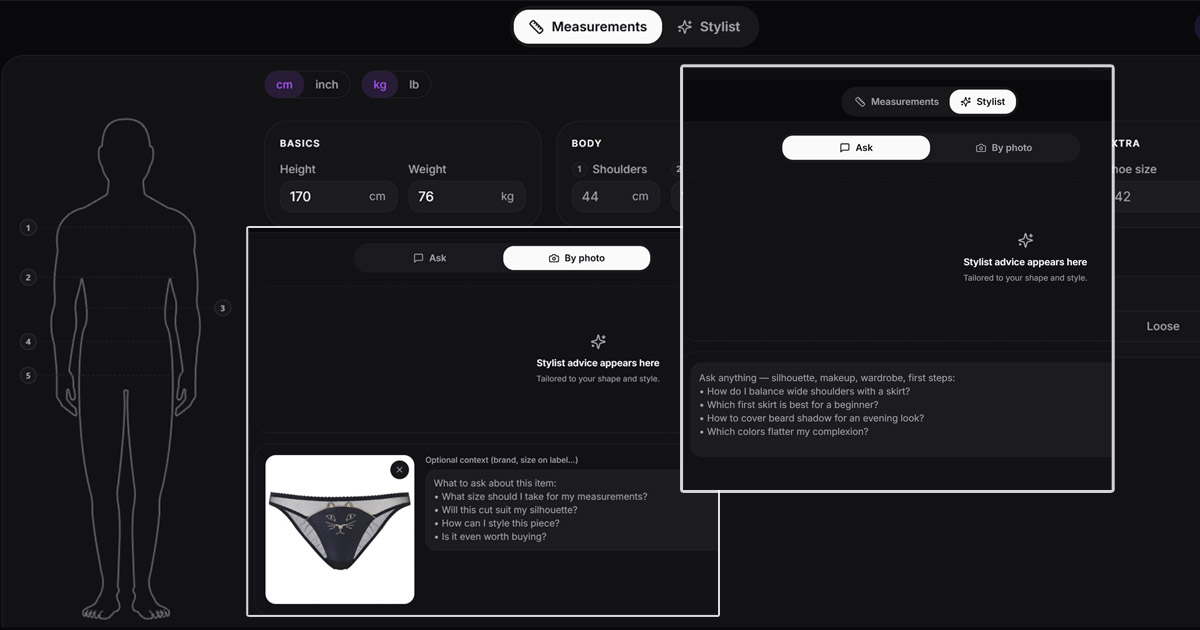
The AI stylist is the part of FemStyle AI that most people underuse. It's a chat that gives real, body-aware outfit advice — but only if you ask the right questions and share the right context. This guide shows you how to get the most out of it on your first session.
When the stylist is most useful
- You don't know where to start. Goth? Pastel? Casual androgynous? The stylist helps you pick an aesthetic that matches your body and goals.
- You have a body concern. Wide shoulders, height, beard shadow, square jaw — these have known styling answers, and the stylist gives you the specifics.
- You're getting ready for something. A photoshoot, a quiet evening at home, a first outing — different situations call for different outfits.
- You're stuck. Tried a few try-ons, nothing landed. The stylist looks at your goals and suggests what to try next.
Step 1 — Share enough to be useful
The more you tell it, the more specific the advice. Useful things to share:
- Your build basics — height, shoulder width, what you've felt comfortable wearing before. Skip whatever you don't want to share.
- What you're going for — "soft and feminine," "edgy goth," "androgynous casual," "feminine enough to feel right but subtle enough to wear in front of an unaware roommate."
- What you've already tried — what worked, what didn't. The stylist remembers context across messages.
- Any specific concern — beard shadow, jaw shape, hip-to-shoulder ratio. Naming it lets the stylist address it directly.
You don't have to share everything upfront. Many people start with one question and build from there.
Step 2 — Ask questions that actually work
Good questions to start with:
- "What 3 outfits should a beginner femboy try first?"
- "I have broad shoulders — which skirt styles balance them?"
- "What colors flatter pale skin with cool undertones?"
- "How do I make my jaw look softer without growing my hair out?"
- "I'm getting ready for a photoshoot at home — what's a full look that's flattering?"
- "Casual feminine outfits I could wear at a coffee shop without standing out too much?"
Questions that work less well: too vague ("dress me"), too narrow ("yes or no — does this color match?"), or asking for opinions on photos (the stylist responds to text descriptions, not images).
Step 3 — Turn the answer into a try-on
The stylist's job is direction; the virtual try-on shows you the result. The natural flow:
- Stylist suggests an aesthetic and a few specific outfit elements ("A-line midi skirt + cream sweater + brown loafers + sheer black tights").
- You find references — preset gallery, or product photos from any store.
- Run a virtual try-on with each piece. Save the ones you like.
- Come back to the stylist with what worked and what didn't. It adjusts the advice.
This loop is what makes the stylist useful. One chat → a dozen try-ons → a wardrobe direction you actually trust.
What it won't do
The stylist is good at fashion direction, not all of these:
- Look at your photo. It works from your text descriptions only.
- Validate emotional decisions. "Is this aesthetic right for me?" is your call — the stylist tells you what looks good, you decide what feels right.
- Replace a human therapist. If you're working through identity questions, the stylist can help with the surface layer (style) but isn't a substitute for talking with someone qualified.
Frequently asked questions
Does the AI stylist understand a male body?
Yes — that's its main difference from generic fashion chatbots. It's trained to suggest looks that flatter wider shoulders, balance proportions on a male skeleton, and handle the specific concerns of femboys and crossdressers.
Are my conversations private?
Yes. Chat history is only visible inside your account, no one on our team reads it, and nothing you tell the stylist is used to train AI. You can delete history anytime from settings.
Do I have to share my measurements?
Only what you're comfortable sharing. Skipping measurements means more general advice. The more context you give, the more specific the recommendations.
Can the stylist suggest specific products to buy?
It suggests style elements (silhouette, color, fabric) — not specific brands. Once you know what to look for, you can find products at any store. This keeps the advice independent of any particular retailer.
How is this different from asking a regular chatbot?
A regular chatbot gives generic fashion tips written for everyone. Our stylist works with the body and identity you actually have, remembers context across messages, and points directly to outfit ideas that suit you.